Plex: Polished Media Server With a Commercial Tier
Plex organizes your media library and streams it to clients on nearly every platform that exists. It is the most polished option in the category and the one with the most commercial strings attached.
What you get
Automatic metadata and artwork, libraries for film, TV, music, and photos, and client apps for iOS, Android, Apple TV, Roku, Fire TV, every smart TV platform, games consoles, and the browser. Remote access works with essentially no configuration, which is genuinely hard to replicate elsewhere: Plex handles NAT traversal and certificates for you.
Sharing with friends and family is similarly frictionless, with per-user libraries and managed accounts for children.
The tradeoffs to understand before committing
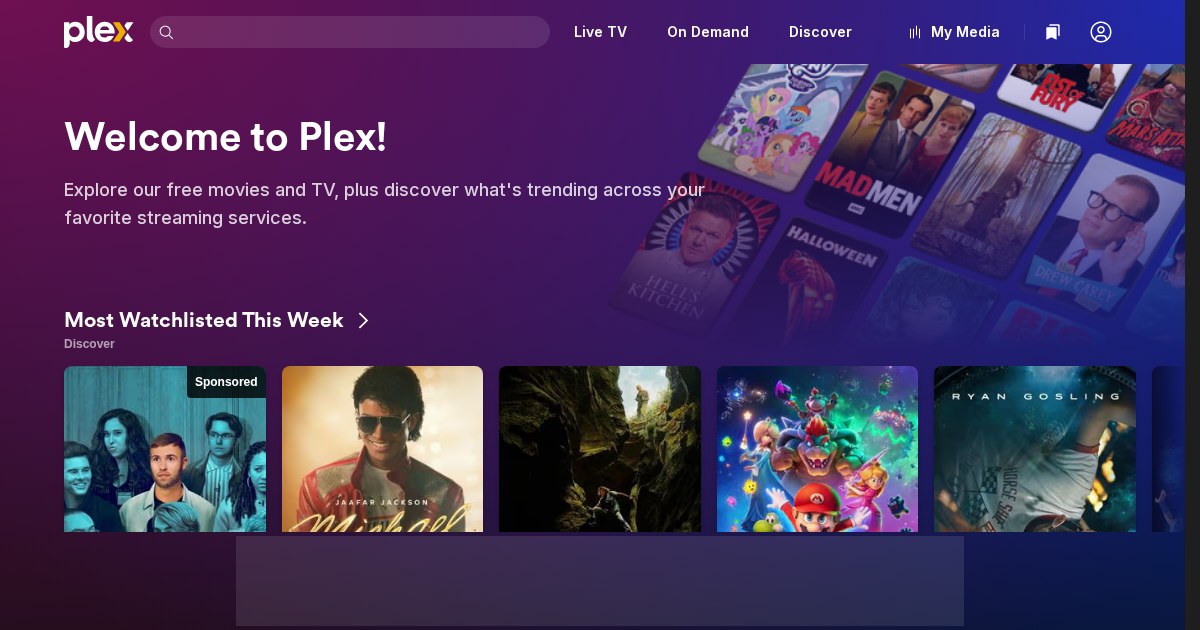
Plex requires an account, and your server authenticates against Plex’s infrastructure. That means a dependency on a third party for logging into your own media, and it has bitten people during Plex outages. Features move: hardware transcoding, mobile sync, and skip-intro are Plex Pass features, and the free and paid boundary has shifted more than once. Plex has also added content you did not ask for to the interface, which some users find intrusive.
Versus Jellyfin and Emby
Jellyfin is fully free software with no account and no paid tier, at the cost of less polished clients and manual remote access. Emby sits between the two commercially. Choose Plex when client quality and effortless sharing matter most; choose Jellyfin when independence does.
Companion tools
Tautulli for monitoring and statistics, Overseerr for requests, Plexamp for music, Prologue for audiobooks, and Kometa for collection artwork.