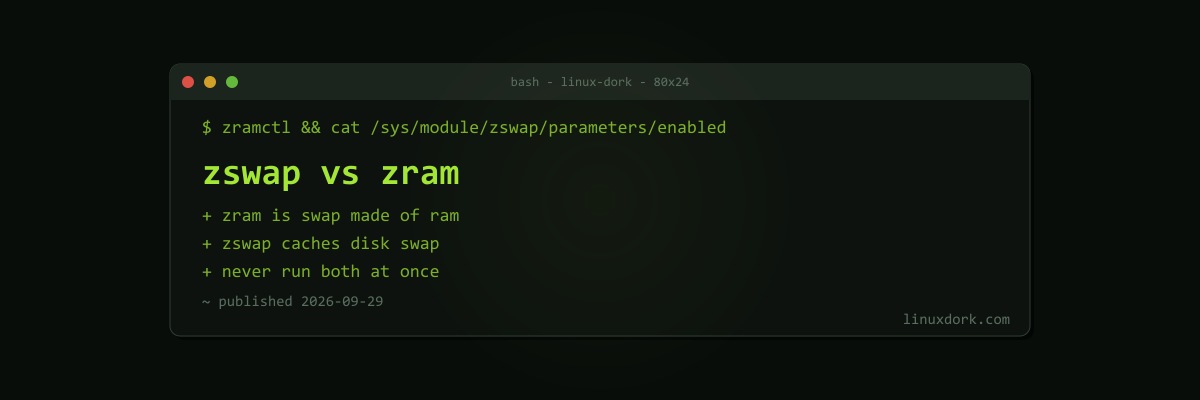
zswap vs zram: Which Compressed Swap Should You Use?
Compressing memory is one of the cheapest performance wins on Linux. Compressed pages typically shrink to a third or a quarter of their size, and decompressing them is far faster than reading from even an NVMe SSD. The kernel offers two ways to do it, zram and zswap, and they are often confused because they solve overlapping problems in different ways.
If swap itself is unfamiliar, start with swap space explained. For a deep dive on tuning zram specifically, see zram swap tuning.
The core difference
zram is a swap device made of RAM. It creates a block device, such as /dev/zram0, that compresses whatever is written to it and stores the result in memory. You format it as swap and the kernel swaps to it like any disk, except nothing touches a disk.
zswap is a cache in front of disk swap. When the kernel swaps a page out to your normal swap partition or file, zswap intercepts it, compresses it, and keeps it in a RAM pool instead. Only when that pool fills does zswap write the oldest pages to the real swap device.
zram:   RAM ---> [compressed RAM swap device]            (no disk)

zswap: RAM ---> [compressed RAM pool] ---> disk swap (overflow goes to disk)| zram | zswap | |
|---|---|---|
| What it is | Compressed RAM block device used as swap | Compressed cache in front of disk swap |
| Needs disk swap | No | Yes |
| When full | Swap is full; the OOM killer may act | Oldest pages written to disk |
| Hibernation | Not possible from zram | Works (via the backing disk swap) |
| Default on | Fedora, and many others via zram-generator | Arch kernels, GNOME OS, and some others |
| Configure with | zram-generator or zramctl | Kernel parameters or /sys/module/zswap |
zram in practice
zram suits machines without disk swap, or where you want to avoid writing swap to flash storage at all: laptops, SBCs, and desktops with fast CPUs.
On most systemd distributions, zram-generator sets it up from a small config file:
# /etc/systemd/zram-generator.conf
[zram0]
zram-size = ram / 2
compression-algorithm = zstd
swap-priority = 100
Check it with:
zramctl
# NAME       ALGORITHM DISKSIZE  DATA COMPR TOTAL STREAMS MOUNTPOINT
# /dev/zram0 zstd          7.7G  1.2G  310M  330M      16 [SWAP]

swapon --show
The DATA versus TOTAL columns show the real compression ratio: here 1.2 GB of pages is taking 330 MB of RAM.
The limit is that zram’s capacity comes out of RAM. When zram is full and memory is still short, there is nowhere else for pages to go, and the OOM killer steps in. zram can optionally write incompressible or idle pages to a backing device, but that is an advanced setup most people do not use.
zswap in practice
zswap suits machines that already have disk swap, particularly ones that need it for hibernation, or servers where a large swap area is a safety margin.
It is controlled through module parameters:
grep -r . /sys/module/zswap/parameters/
# enabled:Y
# compressor:zstd
# max_pool_percent:20
# shrinker_enabled:Y
max_pool_percent caps the compressed pool as a share of RAM (20 percent by default). The shrinker lets the kernel proactively write cold pages from the pool to disk under memory pressure, which keeps the pool holding the pages most likely to be needed again.
Enable it at boot with a kernel parameter:
zswap.enabled=1 zswap.compressor=zstd zswap.max_pool_percent=25Or at runtime:
echo 1 | sudo tee /sys/module/zswap/parameters/enabledzswap’s advantage is graceful degradation. Hot swapped pages stay compressed in RAM and come back fast; genuinely cold pages end up on disk where they cost nothing. Nothing hits a hard wall the way a full zram device does.
Do not stack them
If you have both zram swap and zswap enabled, zswap intercepts pages on their way to the zram device and compresses them into its own pool. The data then gets compressed a second time when it reaches zram. You pay the CPU cost twice and gain nothing.
Fedora, for example, uses zram and disables zswap. If you set up zram yourself on a kernel that enables zswap by default, turn zswap off:
zswap.enabled=0Which should you choose?
Use zram if:
- You have no disk swap, or do not want swap writes on your SSD or SD card
- You do not hibernate
- The machine is a laptop, desktop, or single-board computer with enough RAM for normal use and occasional spikes
Use zswap if:
- You already have disk swap, especially for hibernation
- You want overflow to degrade gracefully to disk rather than hitting the OOM killer
- The system is a server where a large swap area is part of the capacity plan
Keep the distro default if you are not sure. Both Fedora’s zram setup and Arch’s zswap default are sensible, and the difference between the two is much smaller than the difference between having compressed swap and not having it.
Whatever you pick, measure. Monitoring memory usage covers reading free and vmstat, and memory pressure and PSI covers the better signal for whether a machine is actually short of memory.
Frequently Asked Questions
What is the difference between zswap and zram?
zram creates a compressed block device in RAM that is used as a swap device by itself, with no disk involved. zswap is a compressed cache that sits in front of an existing disk swap device, holding swapped pages in compressed RAM and writing the least recently used ones out to disk when the cache fills.
Can I use zswap and zram together?
It is not recommended. With both enabled, zswap intercepts pages headed for the zram device and compresses them into its own pool, so memory is compressed twice for no benefit. If you use zram as your swap, disable zswap with the zswap.enabled=0 kernel parameter.
Which one works with hibernation?
zswap, because it is backed by a real disk swap device that can hold the hibernation image. zram lives in RAM, which is lost when the machine powers off, so it cannot store a hibernation image. Systems that hibernate need disk swap at least as large as the memory in use.
How do I check if zswap is enabled?
Read /sys/module/zswap/parameters/enabled. Y means zswap is active. The other files in the same directory show the compressor, the maximum pool size as a percentage of RAM, and whether the shrinker is enabled.
How do I check zram usage?
Run zramctl to list zram devices with their compression algorithm, the amount of data stored, and the compressed size. swapon —show also lists zram devices with their swap priority alongside any disk swap.
Which compressor should I use?
zstd gives the best compression ratio and is the usual choice for zram. lz4 is faster with a lower ratio and suits slower CPUs or latency-sensitive systems. The difference in practice is usually small compared with the choice between having compressed swap and not having it.