Kernel Command Line Parameters Explained
The kernel command line is a string the bootloader passes to the kernel at startup. It configures things that must be set before userspace exists.
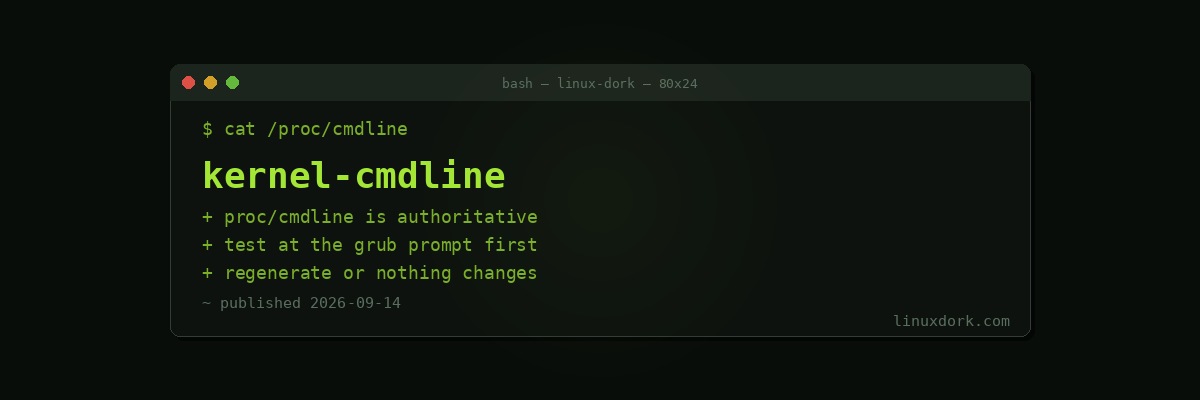
cat /proc/cmdlineBOOT_IMAGE=/vmlinuz-7.2.5 root=UUID=abc-123 ro quiet splash/proc/cmdline is authoritative. It is what the running kernel actually received, which is frequently not what is in your GRUB configuration, because someone edited the file and forgot to regenerate.
Setting one for a single boot
At the GRUB menu, press e. Find the line starting with linux, move to its end, add your parameter, then Ctrl+X or F10.
Nothing is written to disk. Reboot and it is gone.
This is the correct way to test anything that might prevent the system booting. If the parameter makes things worse, you reboot.
If GRUB’s menu does not appear, hold Shift during boot on BIOS systems, or press Esc repeatedly on UEFI.
Making one permanent
sudo nano /etc/default/grubGRUB_CMDLINE_LINUX_DEFAULT="quiet splash amd_pstate=active"
GRUB_CMDLINE_LINUX=""GRUB_CMDLINE_LINUX_DEFAULT applies to normal boots. GRUB_CMDLINE_LINUX applies to all entries including recovery, which is usually not what you want.
Then regenerate:
sudo update-grub                                   # Debian, Ubuntu
sudo grub2-mkconfig -o /boot/grub2/grub.cfg        # Fedora, RHEL
sudo grub-mkconfig -o /boot/grub/grub.cfg          # Arch
Forgetting this step is the most common reason a parameter appears to be ignored. Editing /etc/default/grub changes nothing until the configuration is regenerated.
Verify after rebooting:
cat /proc/cmdlineSystems using systemd-boot use a different file:
cat /boot/loader/entries/*.confOur GRUB guide covers the bootloader itself.
Rescue parameters
The ones worth knowing before you need them.
Getting a shell
systemd.unit=rescue.target        # single user, minimal services
systemd.unit=emergency.target     # even more minimal, root fs read-only
init=/bin/bash                    # bypass init entirely
init=/bin/bash is the strongest. systemd never starts, and you get a shell with the root filesystem mounted read-only:
mount -o remount,rw /
passwd root
# make changes
mount -o remount,ro /
exec /sbin/init
Remount read-only before rebooting or you risk filesystem inconsistency.
This is how you reset a forgotten root password, which is also the reason physical access to an unencrypted machine is equivalent to root access. Full disk encryption is what prevents it.
Seeing what is happening
quiet          # remove this to see boot messages
nosplash       # remove the graphical splash
debug          # verbose kernel logging
systemd.log_level=debug
Removing quiet splash is the first diagnostic step for a boot that hangs, because the last message before the hang tells you where.
Our dmesg guide covers reading the output afterwards.
Graphics
nomodeset                  # no kernel mode setting
nvidia-drm.modeset=1       # required for NVIDIA on Wayland
i915.enable_psr=0          # Intel panel self-refresh, causes flicker
amdgpu.dc=0               # disable AMD display core
nomodeset is the diagnostic for a black screen after boot. If the system boots with it, the graphics driver is the problem. Our NVIDIA guide covers that case.
Storage
root=UUID=abc-123          # which filesystem is root
rootflags=subvol=@         # Btrfs subvolume
rd.break                   # stop in the initramfs, Fedora and RHEL
break=premount             # same for Debian and Ubuntu
rd.break is invaluable when the root filesystem cannot be mounted, because you get a shell inside the initramfs before the pivot and can investigate why.
Hardware problems
acpi=off               # blunt, breaks power management
noapic
nolapic
pci=noaer              # silence PCIe error reporting spam
intel_iommu=on         # required for VFIO passthrough
amd_iommu=on
iommu=pt               # passthrough mode, better performance
acpi=off sometimes gets an otherwise unbootable machine started, at the cost of power management, thermal control, and battery reporting. A diagnostic, not a solution.
intel_iommu=on and iommu=pt are prerequisites for GPU passthrough.
Memory and CPU
mem=8G                     # pretend there is less memory
maxcpus=2                  # limit active CPUs
nosmt                      # disable hyperthreading
mitigations=off            # disable CPU vulnerability mitigations
transparent_hugepage=never
mitigations=off is a security decision, not a tuning knob. It disables the Spectre, Meltdown, and related workarounds. The performance gain is real, occasionally 20 percent or more on syscall-heavy work, and so is the exposure. Reasonable on an isolated machine running only your own code; not reasonable on anything multi-tenant or internet-facing.
Module parameters
Parameters for a driver compiled into the kernel go directly on the command line. For a loadable module, prefix with the module name:
i915.enable_guc=2
snd_hda_intel.power_save=0
usbcore.autosuspend=-1
Check which applies:
lsmod | grep i915                 # loaded as a module
ls /sys/module/i915/parameters/   # current values
cat /sys/module/i915/parameters/enable_guc
For a module loaded after boot, a modprobe.d file is usually better than the command line:
# /etc/modprobe.d/i915.conf
options i915 enable_guc=2
sudo update-initramfs -u # if the module loads from the initramfsOur kernel modules guide covers the distinction.
Finding the right parameter
ls /usr/share/doc/linux-doc/ # if the doc package is installedThe authoritative reference is Documentation/admin-guide/kernel-parameters.txt in the kernel source, which is long and exhaustive.
modinfo -p i915        # parameters for a specific module
sysctl -a | grep ...   # runtime settings, different mechanism
Note the distinction: kernel parameters are set at boot and mostly cannot change afterwards. sysctl settings change at runtime. If something can be set with sysctl, prefer that, because it does not require a reboot and does not risk an unbootable system.
The habit worth forming
Test at the GRUB prompt first, always. A parameter that prevents booting is recoverable when it was typed at the menu and considerably more annoying when it is in /etc/default/grub on a headless server you now have to attach a console to.
Write down what you added and why. In two years, an unexplained pci=nomsi in your GRUB configuration is a small mystery nobody wants to be the one to remove.
Frequently Asked Questions
How do I see the kernel parameters my system booted with?
Read /proc/cmdline, which shows the exact string the bootloader passed to the running kernel. This is the authoritative answer and is frequently different from what is in your GRUB configuration, because an edit may not have been applied or the configuration may not have been regenerated.
How do I add a kernel parameter temporarily?
At the GRUB menu press e to edit the entry, add the parameter to the line beginning with linux, then press Ctrl+X or F10 to boot. The change applies only to that boot, which makes it the right way to test something that might prevent the system starting.
How do I make a kernel parameter permanent?
Add it to GRUB_CMDLINE_LINUX_DEFAULT in /etc/default/grub and run update-grub or grub2-mkconfig. The parameter takes effect on the next boot, and forgetting to regenerate the configuration is the most common reason a change appears to be ignored.
What does the nomodeset parameter do?
It stops the kernel setting the graphics mode, so the graphics driver does not initialise the display at boot. It is a diagnostic for a machine that boots to a black screen, since booting successfully with nomodeset points at the graphics driver as the cause.
How do I boot into a root shell to fix a broken system?
Add systemd.unit=rescue.target for single user mode, or init=/bin/bash to bypass init entirely and get a shell with the root filesystem mounted read-only. The second is the stronger tool and requires remounting read-write before you can change anything.
Why do some parameters appear to have no effect?
Either the option belongs to a module compiled as a loadable module rather than into the kernel, in which case it needs the module name prefix, or the GRUB configuration was never regenerated. Checking /proc/cmdline after boot distinguishes the two immediately.