nl, rev, and fold: Three Small Text Utilities Worth Knowing
Three small utilities, each solving one problem that is awkward without them.
nl, numbering with control
nl file.txtThe obvious question is why not cat -n. The difference is control.
cat -n file.txt      # numbers every line, including blanks
nl file.txt          # numbers only non-empty lines by default
That default is often what you want for a document, where blank lines separating paragraphs should not consume numbers.
nl -ba file.txt              # number all lines, including blank
nl -w4 -nrz file.txt         # width 4, right aligned, zero padded: 0001
nl -s': ' file.txt           # custom separator after the number
nl -v100 file.txt            # start at 100
nl -bp'^ERROR' logfile       # number only lines matching a pattern
The pattern form is the genuinely distinctive one. Numbering only the lines that match gives you a count of matches alongside their content, which no other single tool does.
rev, reversing characters
echo "hello world" | rev
# dlrow olleh
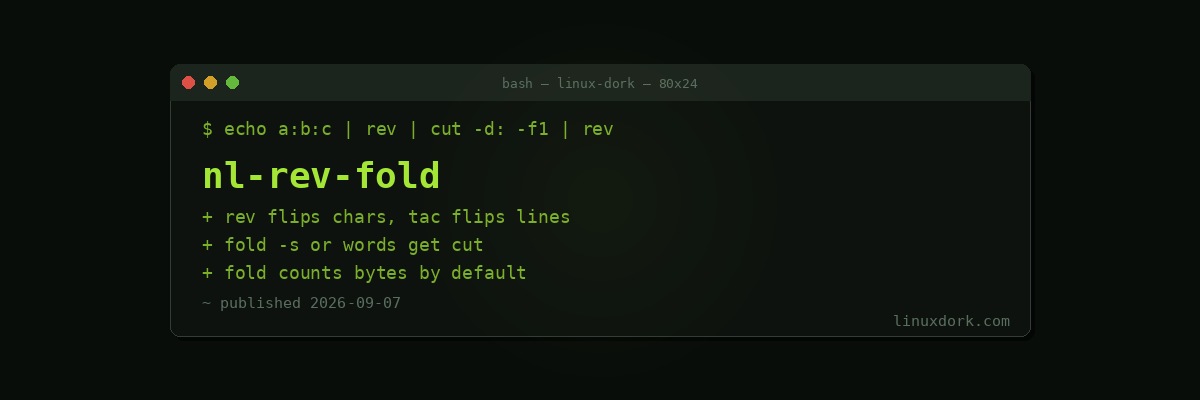
It reverses characters within each line. Reversing the order of lines is tac. The names suggest the opposite of what each does, which is a persistent source of confusion.
The real use is operating on the end of a line with tools designed for the start:
# Get the last field, regardless of how many fields there are
echo "a:b:c:d:e" | rev | cut -d: -f1 | rev
# e

# Get the last two path components
echo "/very/long/path/to/file.txt" | rev | cut -d/ -f1,2 | rev
# to/file.txt

# Extract the file extension from arbitrary names
ls | rev | cut -d. -f1 | rev | sort | uniq -c
cut can count fields from the start and not from the end. Reversing turns “last field” into “first field,” which cut can do.
awk '{print $NF}' handles the last-field case directly and is clearer when the delimiter is whitespace. rev wins when the delimiter is something else and you want to stay in a pipeline.
fold, wrapping to a width
fold -w 72 longlines.txt
fold -sw 72 longlines.txt     # break at spaces, not mid-word
Without -s, fold splits at exactly the column you gave, cutting words in half. That is correct for fixed-width data and wrong for prose, so -s is almost always what you want for text.
# Wrap a long single-line file for reading
tr -d '\n' < minified.txt | fold -w 100 | head -20

# Format a commit message body
echo "$MESSAGE" | fold -sw 72
fold or fmt
fold wraps at a width and does nothing else. fmt reflows: it joins short lines back together and respects paragraph structure.
fmt -w 72 document.txt     # reflow paragraphs
fold -sw 72 document.txt   # only break lines longer than 72
For prose you usually want fmt. For anything where existing line breaks are meaningful, fold because it never joins.
The multibyte trap
fold -w 20 utf8.txt        # counts bytes, can split a character
fold -cw 20 utf8.txt       # counts characters
Default byte counting mangles non-ASCII text by cutting a multibyte character in half. Use -c for anything that is not plain English.
Frequently Asked Questions
What is the difference between nl and cat -n?
cat -n numbers every line with a fixed format. nl gives you control: numbering only non-empty lines by default, configurable separators, width, leading zeros, and the ability to number only lines matching a pattern.
What does rev actually reverse?
The characters within each line, not the order of the lines. Reversing line order is the job of tac. This confuses people because the names suggest the opposite of what each does.
Why would anyone reverse a line?
To operate on the end of a line with tools that work from the start. Reversing, cutting the first field, and reversing back extracts the last field regardless of how many fields there are, which cut alone cannot do.
How is fold different from fmt?
fold wraps at an exact column and will split a word in half unless you pass -s to break at spaces. fmt reflows paragraphs intelligently, joining short lines and respecting sentence structure, so it is better for prose.
Does fold count characters or bytes?
Bytes by default, which mangles multibyte UTF-8 text by cutting a character in half. Pass -c to count characters instead, which is what you want for anything not plain ASCII.
Are these available on minimal systems?
All three ship with coreutils and are present on essentially every Linux system, including most minimal container images. They are as portable as cat.