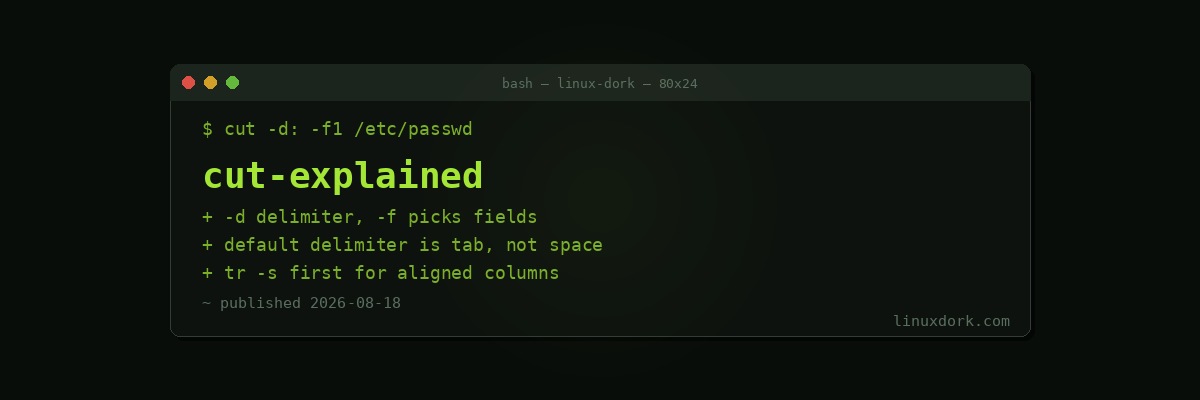
The cut Command Explained: Extracting Columns from Text
cut does one thing: it slices each line of input and keeps the parts you ask for. For pulling a column out of delimited text it is faster to type and faster to run than awk, and it appears in enough shell one-liners that reading it fluently is worth ten minutes of your time.
Cutting by field
The workhorse mode is -d (delimiter) plus -f (fields):
# Every username on the system (field 1 of the colon-delimited passwd file)
cut -d: -f1 /etc/passwd

# Username and shell
cut -d: -f1,7 /etc/passwd

# Fields two through four of a CSV
cut -d, -f2-4 data.csv
Field lists accept single numbers, comma lists, closed ranges (2-4), and open ranges: -f3- means field three to end of line, -f-2 means start through field two.
The default delimiter is a tab, which is why cut -f1 on a space-separated file appears to do nothing: no tabs, so every line is one giant first field.
The whitespace limitation
The most common cut frustration: it cannot treat runs of spaces as a single separator. Each individual space is a boundary, so aligned columns produce a mess of empty fields.
# This disappoints on aligned output
df -h | cut -d' ' -f1,5

# Fix: squeeze repeated spaces first
df -h | tr -s ' ' | cut -d' ' -f1,5

# Or just use awk, which splits on whitespace runs natively
df -h | awk '{print $1, $5}'
This is the dividing line between the tools: fixed single-character delimiter, use cut; variable whitespace, use awk.
Cutting by character position
-c selects character columns rather than fields, useful for fixed-width output:
# First 8 characters of every line
cut -c1-8 file.txt

# Characters 20 onward
cut -c20- file.txt
-b does the same by bytes. On plain ASCII they behave identically; on UTF-8 text with accented or non-Latin characters, one character may occupy several bytes and the two flags diverge. Prefer -c for text.
Practical one-liners
# Unique shells in use on the system
cut -d: -f7 /etc/passwd | sort -u

# Extract IPs from an access log (first space-separated field)
cut -d' ' -f1 access.log | sort | uniq -c | sort -rn | head

# Strip the domain from email addresses
cut -d@ -f1 emails.txt

# Second column of tab-separated output (default delimiter)
cut -f2 data.tsv

# Just the PIDs from a saved ps listing with squeezed spaces
tr -s ' ' < ps.txt | cut -d' ' -f2
The access-log pattern, cut | sort | uniq -c | sort -rn, is one of the most reused pipelines in log analysis: extract a column, count occurrences, rank them.
Changing the output delimiter
When selecting multiple fields, cut joins them with the input delimiter by default. --output-delimiter changes that:
# Convert selected CSV columns to tab-separated
cut -d, -f1,3 data.csv --output-delimiter=$'\t'
The complement trick
--complement inverts the selection, keeping everything except the named fields, which beats listing every field you want when you only want to drop one:
# Drop the second column, keep the rest
cut -d, -f2 --complement data.csv
Where cut fits among the text tools
cut extracts columns; tr transforms characters; awk does both plus logic; sed edits by pattern. A large share of everyday text processing is just these four composed with sort, uniq, and grep. cut earns its place in that toolbox by being the most predictable: no patterns, no programs, just positions.
Frequently Asked Questions
What does the cut command do?
cut extracts selected portions of each line of input, either by field using a delimiter, by character position, or by byte position. It is commonly used to pull single columns out of structured text like CSV files or /etc/passwd.
How do I cut by a delimiter?
Use -d to set the delimiter and -f to pick fields, for example cut -d: -f1 /etc/passwd prints every username. The default delimiter is tab, not space.
Why does cut not work with multiple spaces between columns?
cut treats every single occurrence of the delimiter as a field boundary and cannot collapse runs of spaces. Squeeze the spaces first with tr -s, or use awk, which splits on whitespace runs by default.
Can cut select multiple fields at once?
Yes. -f accepts lists and ranges, such as -f1,3 for fields one and three or -f2-4 for two through four. An open range like -f3- selects from field three to the end of the line.
What is the difference between -c and -b in cut?
Both select by position, but -c counts characters while -b counts bytes. They differ on multibyte text such as UTF-8 accented characters, where one character can span several bytes.
When should I use awk instead of cut?
Reach for awk when fields are separated by variable whitespace, when you need to reorder fields, or when any logic is involved. cut wins on simplicity and speed for fixed single-character delimiters.