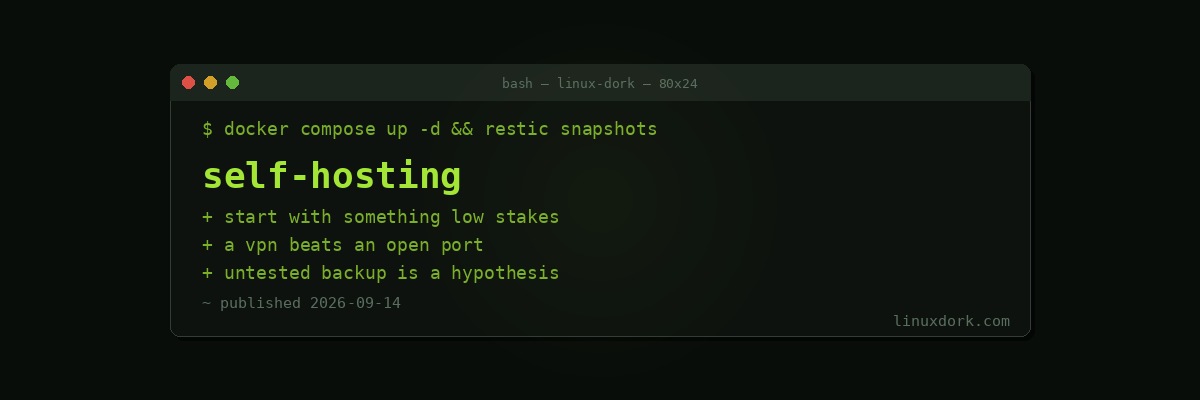
What Is Self-Hosting? An Honest Introduction
Self-hosting means running software on hardware you control instead of using a service someone else operates.
Rather than Google Photos, you run Immich on a machine in your house. Rather than Dropbox, Nextcloud. Rather than Spotify, Navidrome pointed at your own music. The software is frequently the same class of thing, and the difference is who holds the data and who is responsible when it stops working.
Both halves of that sentence matter, and most introductions to self-hosting only cover the first.
Why people do it
The data is yours. Not subject to a policy change, an account suspension by an automated system with no appeal, or a company deciding the product is no longer strategic. Files on your disk stay on your disk.
No subscription creep. A photo service, a music service, a notes app, a password manager, and a file sync service is easily fifty dollars a month. The hardware to run all of them yourself costs less than a year of that.
It keeps working when the company does not. Services get shut down constantly. Google alone has closed a long list of products people depended on. Software running on your own machine does not get discontinued.
You learn a great deal. Running services teaches networking, storage, backup, and security in a way reading about them does not, because the consequences are real.
Privacy in the literal sense. Nobody is scanning the contents to improve their advertising or train a model.
What it actually costs
The part the enthusiastic posts skip.
Time, continuously. Not the setup, which is the fun part. The ongoing part: updates that change configuration formats, a container that will not start after a reboot, certificates that expired, a disk approaching capacity. Budget a couple of hours a month once things are stable, and considerably more while you are learning.
You are now the on-call engineer. When Google Photos is down you wait. When your photo server is down at 11pm and your partner wants to show someone a picture, you are fixing it. This changes the character of the hobby in a way people underestimate.
Backups are your problem entirely. This is the one that ruins people. Commercial services replicate your data across data centres without you thinking about it. Your server has one disk, and disks fail.
Electricity and hardware. Modest, but real: a small always-on machine is perhaps thirty to eighty dollars a year in power depending on where you live.
Security is your responsibility. An unpatched service exposed to the internet is found by automated scanners within hours.
None of this is a reason not to do it. It is a reason to start small.
What you need
Less than people assume.
A machine. An old laptop is ideal for a first attempt: it has a built-in UPS in the form of its battery, it is quiet, and it uses little power. A Raspberry Pi works for lighter services. A decommissioned office desktop is excellent value. A cheap VPS at five dollars a month removes the hardware question entirely and is a reasonable way to start, at the cost of the data living in someone else’s data centre.
Four gigabytes of memory runs a surprising number of services. Eight is comfortable.
A Linux distribution. Debian or Ubuntu LTS for a server, because the documentation you will find assumes one of them. Our server first steps guide covers the initial setup.
Docker. Almost everything ships as a container now, and Docker Compose turns a service into a text file you can version control and redeploy. Our Docker and Podman basics and Docker Compose guide cover it, and the compose generator will write the file for you.
You do not need a domain name, a static IP, or a rack to start.
Start here
Pick something where failure is an inconvenience, not a crisis.
Jellyfin for media. Point it at a folder of files and it gives you a Netflix-shaped interface on every device. Self-contained, no external dependencies, and if it breaks you watch something else that evening.
Pi-hole for network-wide ad and tracker blocking via DNS. Immediately useful, visibly effective, and our Pi-hole guide covers it. Set a secondary DNS on your router so a Pi-hole outage does not take the household offline.
A bookmark or read-later manager such as Karakeep or Wallabag. Small, useful daily, and low stakes.
Uptime Kuma for monitoring. Slightly recursive, and it teaches you what monitoring is for.
Get one running. Keep it running for a month. Then add another.
Two things to avoid at first
Email. Receiving mail is manageable. Sending mail that arrives is genuinely difficult, because deliverability depends on IP reputation you do not control, and a residential or small-provider address starts with none. Your messages land in spam, and the failure is silent: you will not know which ones were never read. Experienced administrators run their own mail and most of them will tell you not to start there.
Anything the household depends on before you can restore a backup. Move the family photos onto your server only after you have deleted a test instance and rebuilt it from your backup successfully.
The part that actually matters
Backups. Tested backups.
The most common self-hosting failure is not a hack or a hardware fault. It is someone running services happily for two years, accumulating irreplaceable data, and discovering during a disk failure that the backup had been silently failing for eight months, or that it existed and they had never tried restoring it.
A backup you have not restored from is a hypothesis.
The rule worth following is 3-2-1: three copies, on two different media, one off-site. For a home setup that is the live data, a local copy on a second disk, and an encrypted copy somewhere else.
# restic to a remote, encrypted, deduplicated
restic -r sftp:backup@remote:/backups init
restic -r sftp:backup@remote:/backups backup /srv/data

# the step people skip
restic -r sftp:backup@remote:/backups restore latest --target /tmp/restore-test
Run that last command. Today. Our backup guide covers setting this up properly and the backup builder generates the commands.
RAID is not a backup. It protects against one disk dying, not against deleting a directory, a filesystem corrupting, ransomware, or the house flooding.
Reaching your services
You have two options, and the difference matters.
Do not expose anything; use a VPN. WireGuard or Tailscale gives your phone and laptop access to the home network from anywhere, and your services stay entirely off the public internet. This is the correct default and it removes almost the entire attack surface. Our WireGuard config generator handles the setup.
Expose it properly, if you must. Behind a reverse proxy with TLS from Let’s Encrypt, patched continuously, with fail2ban or CrowdSec watching the logs. Never expose a service with no authentication. Never expose a database.
Most people should use the VPN and never open a port. It is less convenient for sharing with others, and it is dramatically safer.
Being realistic
Self-hosting is a hobby that produces useful infrastructure. It is not free, it is not effortless, and the people who write enthusiastically about it have usually normalised an amount of maintenance that would surprise a newcomer.
If you enjoy the work, it is genuinely rewarding, you learn a great deal, and you end up with services nobody can take away.
If you want a photo library that works and do not want a second job, paying a company is a legitimate choice that a lot of technically capable people make deliberately.
Start with one service. Get backups working. Expand from there.
Our self-hosted apps directory covers what is available once you are ready.
Frequently Asked Questions
What does self-hosting mean?
Self-hosting means running software on hardware you control rather than using a service someone else operates. Instead of storing files in Dropbox you run Nextcloud on your own machine, and instead of streaming from Netflix you run Jellyfin over your own media library. You gain control over the data and you take on responsibility for keeping it running.
Do I need a server to start self-hosting?
No. An old laptop, a Raspberry Pi, or a five dollar per month VPS is enough to run several services. Most self-hosted applications are far lighter than people expect, and a machine with four gigabytes of memory can comfortably run a dozen of them.
Is self-hosting cheaper than paying for services?
In money, often yes over several years. In time, usually no. The hardware and electricity cost less than a stack of subscriptions, but you are now responsible for updates, backups, and troubleshooting, and that time is real even if it does not appear on a bill.
Is it safe to expose my services to the internet?
It can be, with care. The safer default is to not expose anything and reach your services over a VPN such as WireGuard or Tailscale. If you do expose something, put it behind a reverse proxy with TLS, keep it patched, and never expose a service that has no authentication.
What should I self-host first?
Pick something whose failure would be an inconvenience rather than a crisis. A Jellyfin media server, a Pi-hole DNS filter, or a bookmark manager are all good first projects. Avoid starting with email or with anything your household depends on before you have practised restoring a backup.
What is the most common self-hosting mistake?
Running without tested backups. Many people set up services carefully, accumulate years of data, and discover during a disk failure that their backup was misconfigured or that they never tried restoring from it. A backup you have not restored from is a hypothesis, not a backup.