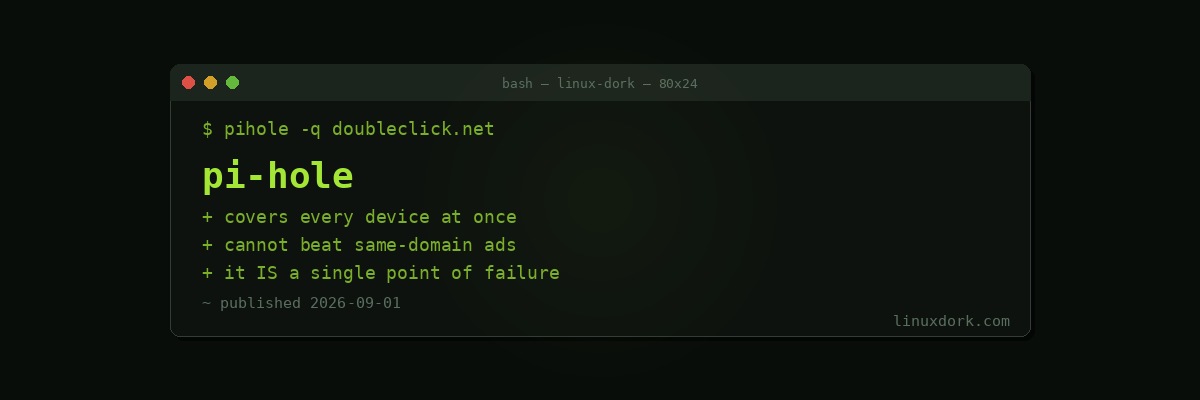
Pi-hole and Network-Wide DNS Filtering
A browser extension blocks ads on that browser. A smart TV, a phone app, and an IoT device that phones home are all untouched by it. DNS filtering catches all of them, because every one of them has to resolve a name before it can connect.
The mechanism
Pi-hole is a DNS server that consults a blocklist. When a device asks for ads.example.com and that domain is on the list, Pi-hole answers with nothing. The connection is never attempted.
Point every device on the network at it and the filtering applies everywhere, with nothing installed on the clients.
Installing
curl -sSL https://install.pi-hole.net | bashOr as a container, which is tidier and easier to move:
services:
  pihole:
    image: pihole/pihole:latest
    container_name: pihole
    restart: unless-stopped
    ports:
      - "53:53/tcp"
      - "53:53/udp"
      - "8080:80/tcp"
    environment:
      - TZ=Europe/London
      - FTLCONF_webserver_api_password=changeme
    volumes:
      - ./etc-pihole:/etc/pihole
      - ./etc-dnsmasq.d:/etc/dnsmasq.d
Our compose generator builds files like this.
One conflict to expect on modern distributions: systemd-resolved already listens on port 53.
sudo systemctl disable --now systemd-resolved
# or edit /etc/systemd/resolved.conf and set DNSStubListener=no
Pointing devices at it
Best: on the router, via DHCP. Every device picks it up automatically, including guests.
If the router will not allow it, let Pi-hole handle DHCP itself, which its admin interface supports.
Per device works and is tedious and easy to forget.
Do not set a public DNS server as a secondary. Devices query whichever answers first, so filtering becomes intermittent and confusing. For redundancy, run a second Pi-hole.
Blocklists
Pi-hole ships with a reasonable default list. More can be added from Firebog and similar collections.
Restraint pays here. A very aggressive list breaks things constantly, and the resulting whitelist maintenance is worse than the ads. Start with the defaults and add only when something specific is getting through.
pihole -g          # update lists
pihole -q doubleclick.net   # is this domain blocked, and by which list
When something breaks
The failure mode is a page that half loads, a login that hangs, or an app that will not sign in.
The query log in the admin interface is the answer. Look at what was blocked at the exact moment it failed, and whitelist the specific domain:
pihole allow tracking-but-required.example.comWhitelist specific domains rather than disabling filtering. pihole disable 5m is there for when you need to confirm quickly whether Pi-hole is even the cause.
What it cannot do
Same-domain advertising. YouTube serves ads from the same domains as video. DNS cannot distinguish them, and no blocklist will change that.
First-party tracking. A site tracking you from its own domain is indistinguishable from the site working.
Anything hardcoded. Some devices ignore DHCP-provided DNS and query a public resolver directly. Blocking outbound port 53 except to the Pi-hole with a firewall rule forces them back, though devices using DNS-over-HTTPS bypass that too.
In-app content. An app fetching ads from its own API is untouchable at DNS level.
Encrypt the upstream
By default Pi-hole forwards queries in plaintext to whatever resolver you configured, so your ISP still sees every lookup.
Pair it with unbound as a recursive resolver, or with cloudflared for DNS-over-HTTPS, so Pi-hole handles filtering and something else handles privacy on the way out.
The single point of failure
This is the part to plan before you deploy it, not after.
If the Pi-hole is down, DNS fails network-wide, and to everyone else in the house that is “the internet is broken.” A container restart during an update, a full disk, or a failed SD card all produce it.
Options: run a second instance on another machine and list both in DHCP, or know how to change the router’s DNS back quickly. Whichever you pick, make sure someone else in the house knows too.
Our dig guide covers diagnosing it when it happens.
Frequently Asked Questions
How does DNS-based blocking work?
Pi-hole acts as your network DNS server. When a device asks for a domain on a blocklist, it returns nothing instead of the real address, so the connection is never made. It works for every device on the network without installing anything on them.
What can Pi-hole not block?
Anything served from the same domain as the content, which includes most YouTube advertising and much first-party tracking. It also cannot block anything inside an encrypted connection it never sees, and it does not stop trackers embedded in an app talking to the app’s own servers.
Does it break websites?
Occasionally, usually login flows and checkout pages that route through a domain on a blocklist. Whitelisting the specific domain fixes it, and the query log shows exactly which one was blocked at the moment the page failed.
What happens when the Pi-hole goes down?
DNS stops working for the whole network, which looks like a total internet outage. Either run a second instance or configure a secondary DNS server on the router. This is the most important operational consideration.
Should I set a second DNS server on my devices?
Not a public one, because devices will use whichever answers first and bypass filtering unpredictably. If you want redundancy, run a second Pi-hole and list that instead.
Is Pi-hole a privacy tool or an ad blocker?
Both, partially. It blocks known advertising and tracking domains network-wide, which is real. It does not encrypt your DNS by default and does not stop first-party tracking, so pair it with an upstream resolver over DNS-over-TLS or DNS-over-HTTPS.