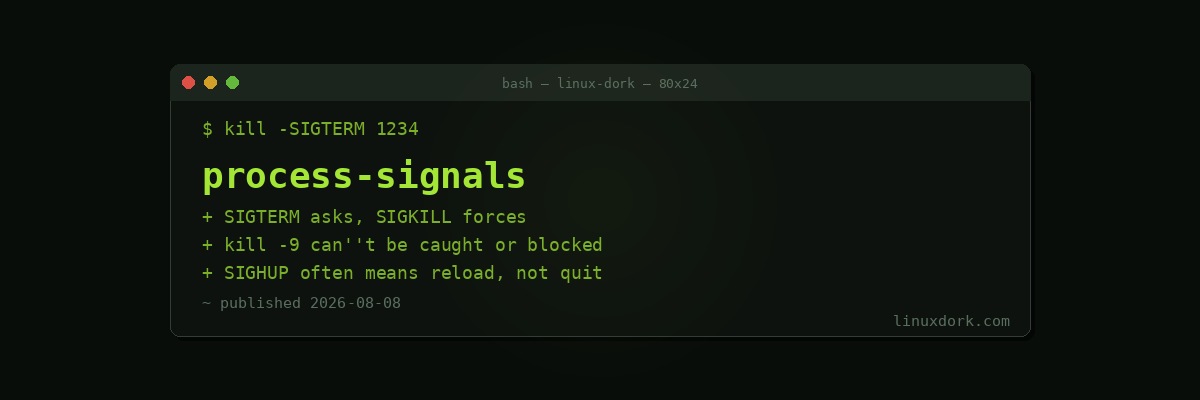
Understanding Process Signals on Linux
Every running process on Linux can receive signals, a simple but essential communication mechanism the kernel and other processes use to tell a process to stop, reload, pause, or respond to some other event. Most people first encounter signals through kill -9, but that command is one narrow case of a much broader system, and reaching for -9 reflexively is often the wrong instinct.
What a signal actually is
A signal is a limited, asynchronous notification sent to a process, identified by a number and a name. The kernel delivers it, interrupting whatever the process was doing to let it respond, either through its own registered handler, a default action defined by the kernel, or by ignoring it entirely if the process has explicitly chosen to.
kill -lThis lists every signal name and number available on the system. A few matter far more often than the rest in everyday use.
The signals that matter most
| Signal | Number | Default behavior |
|---|---|---|
| SIGHUP | 1 | Terminate (often repurposed by daemons to mean “reload config”) |
| SIGINT | 2 | Terminate (sent when you press Ctrl+C) |
| SIGKILL | 9 | Terminate immediately, cannot be caught or blocked |
| SIGTERM | 15 | Terminate gracefully (the default signal sent by plain kill) |
| SIGSTOP | 19 | Pause the process, cannot be caught or blocked |
| SIGCONT | 18 | Resume a paused process |
SIGTERM vs SIGKILL
This is the distinction that matters most in practice. SIGTERM (signal 15) asks a process to terminate, but gives it the opportunity to catch the signal and shut down gracefully: closing open files, finishing an in-progress write, releasing locks, or saving state before exiting.
kill 1234          # sends SIGTERM by default
kill -15 1234       # explicit, same thing
kill -SIGTERM 1234  # explicit by name, same thing
SIGKILL (signal 9) terminates a process immediately and unconditionally at the kernel level. It cannot be caught, blocked, or ignored, the process has no opportunity to clean up at all:
kill -9 1234
kill -SIGKILL 1234
Because SIGKILL gives no chance for cleanup, it should be a last resort, used only when a process is not responding to SIGTERM after a reasonable wait. Skipping graceful shutdown can leave temporary files uncleaned, database writes half-committed, or locks held that prevent the process (or another one) from starting cleanly afterward.
Why kill -9 sometimes doesn’t work
SIGKILL itself cannot be blocked, but the signal still has to reach a point where the kernel can act on it. A process stuck in an uninterruptible kernel sleep, shown as state D in ps or top output, typically while waiting on unresponsive disk or network I/O, will not actually terminate until that underlying kernel operation resolves, even after SIGKILL has been sent. This is a genuinely different situation from a process catching or ignoring a signal; the process simply has not been given control back by the kernel yet to act on anything.
ps -eo pid,stat,comm | grep " D "This finds processes currently in uninterruptible sleep, a useful check when a kill -9 does not seem to be taking effect.
SIGHUP: hang up, or reload
SIGHUP (signal 1) originally signaled that a controlling terminal had disconnected. Many long-running services have repurposed it to mean something different: reload configuration without a full restart, since a daemon can catch SIGHUP and run its own reload logic instead of the historical default of terminating.
kill -HUP $(cat /var/run/nginx.pid)This is a common pattern for reloading a running service’s configuration without dropping active connections the way a full restart would, and it is worth checking a specific daemon’s documentation to confirm whether it follows this convention before relying on it.
Sending signals by name instead of PID
kill requires a PID, which usually means looking one up first with ps or pgrep. pkill and killall target processes by name directly:
pkill -SIGTERM firefox      # send SIGTERM to every process matching "firefox"
pkill -9 -u username         # send SIGKILL to every process owned by a specific user
killall -TERM nginx           # similar to pkill, but expects an exact process name match
pkill matches against process name patterns and can match more broadly than intended if the pattern is not specific enough, so it is worth double-checking with pgrep (which lists matching PIDs without sending anything) before running a pkill command that could catch more than you meant.
pgrep -l firefox # preview what pkill firefox would actually targetPausing and resuming a process
kill -STOP 1234    # pause the process
kill -CONT 1234     # resume it
SIGSTOP and SIGCONT, like SIGKILL, cannot be caught or blocked. This is the same mechanism behind Ctrl+Z in an interactive shell, which sends SIGTSTP (a catchable variant of stop) to pause a foreground job so you can resume it later with fg or bg.
Handling signals in a script
Bash’s trap command registers a handler for a signal, letting even a shell script perform cleanup before exiting rather than being terminated abruptly:
#!/bin/bash
cleanup() {
    echo "Caught signal, cleaning up..."
    rm -f /tmp/mylockfile
    exit 1
}

trap cleanup SIGTERM SIGINT

touch /tmp/mylockfile
sleep 300
If this script receives SIGTERM or SIGINT (from Ctrl+C) while sleeping, cleanup runs first, removing the lock file before the script actually exits, rather than leaving it behind the way an unhandled kill would.
Frequently Asked Questions
What is the difference between SIGTERM and SIGKILL?
SIGTERM (signal 15, the default sent by plain kill) asks a process to terminate gracefully, giving it a chance to catch the signal, close open files, save state, and exit cleanly on its own terms. SIGKILL (signal 9, sent by kill -9) terminates a process immediately and unconditionally at the kernel level, with no opportunity for the process to clean up, because SIGKILL cannot be caught, blocked, or ignored by the receiving process at all. SIGTERM should always be tried first; SIGKILL is a last resort for a process that is not responding to SIGTERM, since skipping cleanup can leave temporary files, database transactions, or other state in an inconsistent condition.
Why does kill -9 sometimes not work?
kill -9 (SIGKILL) itself cannot be blocked or ignored by a process, but the kill command still has to successfully deliver the signal, and a process stuck in an uninterruptible kernel sleep state (shown as “D” state in ps or top output, typically while waiting on slow or unresponsive disk or network I/O) will not actually terminate until the kernel operation it is blocked on completes, even after receiving SIGKILL. In that specific situation, the process appears to ignore kill -9 not because it is catching or blocking the signal, but because the kernel has not yet returned control to the process for it to act on any signal at all.
What does SIGHUP do and why is it used with services?
SIGHUP (signal 1, hang up) originally signaled that a controlling terminal had disconnected, which by default caused a process to terminate. Many long-running daemons and services have repurposed SIGHUP to mean something different: reload configuration without fully restarting, since the process can catch SIGHUP and run its own reload logic instead of the default terminate behavior. This is why sending SIGHUP to a service like nginx (kill -HUP $(cat /var/run/nginx.pid)) reloads its configuration rather than killing it, a convention many server daemons follow even though it differs from the signal’s original literal meaning.
How do I send a specific signal to a process?
Use kill -SIGNAL PID, where SIGNAL is either the signal name or its number: kill -SIGTERM 1234, kill -15 1234, and kill 1234 are all equivalent, since SIGTERM is the default signal kill sends when none is specified. To send by name to a process found by name rather than PID, pkill is often more convenient: pkill -SIGTERM firefox sends SIGTERM to every process matching the name firefox. kill -l lists every available signal name and number if you need to look one up.
What is the difference between kill, pkill, and killall?
kill targets a process by its numeric PID, requiring you to already know or look up that PID first, typically with ps or pgrep. pkill targets processes by name (or other attributes like user), matching a pattern against running process names and sending the signal to every match, without needing the PID in advance. killall also targets processes by name, but expects an exact match against the full process name by default, whereas pkill matches partial patterns unless anchored, a distinction that occasionally causes pkill to match more processes than intended if the pattern is too broad.
How does a program catch and handle a signal itself?
Programs can register a signal handler, a function that runs when a specific signal arrives, instead of letting the default action (usually termination) happen automatically. This is how a database can catch SIGTERM and finish an in-progress write before exiting, or how a service can catch SIGHUP and reload its configuration file instead of terminating. In a Bash script specifically, the trap command registers a handler: trap ‘echo “Caught SIGTERM, cleaning up…”; exit’ TERM runs the given command when the script receives SIGTERM, letting even a shell script perform cleanup before exiting rather than being killed abruptly.