EROFS Explained: The Read-Only Filesystem Behind Android and Containers
Our Linux 7.3-rc3 coverage noted that EROFS disabled LZ4 rolling decompression over a data corruption possibility. That raised a reasonable question: what is EROFS and why does it matter?
The problem it solves
A compressed read-only filesystem has a tension at its heart.
Compression works on blocks of data. To read one byte you must decompress the block containing it. If blocks are large, compression is better and random reads are expensive. If blocks are small, random reads are cheap and compression is worse.
SquashFS compresses variable-length blocks. Reading a small file frequently means decompressing considerably more than you asked for, and the amount is unpredictable.
EROFS compresses into fixed-size output blocks. A random read decompresses a bounded, predictable, small amount.
That inversion, fixing the output size rather than the input size, is the design insight. It costs some compression ratio and buys dramatically better random-access latency.
Why that matters for its users
Android system partitions. Booting an Android device reads thousands of small files scattered across the image. Latency per read dominates; total size matters less. Google moved Android from SquashFS to EROFS for exactly this.
Container image layers. A container starts and reads a scattered subset of its layers. Lazy loading, fetching blocks on demand rather than pulling the whole layer first, works well with a layout where any block can be decompressed independently.
Immutable distributions. A base image that is read-only by design fits a filesystem that is read-only by design. Our immutable distributions explainer covers that model.
The common thread: written once, read many times, read randomly.
Making one
sudo apt install erofs-utils

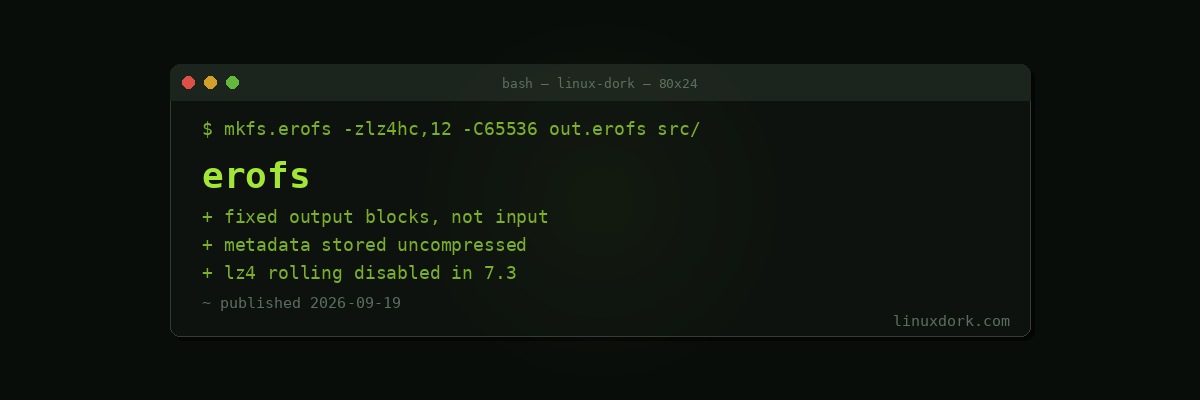
mkfs.erofs -zlz4hc,12 -C65536 output.erofs /path/to/source/
mkfs.erofs -zzstd,19 output.erofs /path/to/source/

sudo mount -t erofs -o loop output.erofs /mnt
-z selects compression. lz4hc compresses slowly and decompresses very fast. zstd gets a better ratio at higher decompression cost. lz4 is the middle.
-C sets the cluster size, which is the compression unit. Larger clusters compress better and cost more per random read.
dump.erofs output.erofs          # inspect the image
fsck.erofs output.erofs          # verify integrity
Against SquashFS
| SquashFS | EROFS | |
|---|---|---|
| Compression ratio | Better | Slightly worse |
| Random read latency | Variable, can be poor | Low and predictable |
| Metadata layout | Compressed | Uncompressed, directly indexed |
| Page cache behaviour | Decompressed pages | Can share compressed pages |
| Maturity | Very mature | Newer, actively developed |
Uncompressed metadata is an underrated difference. EROFS stores directory structure and inodes uncompressed and directly indexed, so a stat() or a directory listing does no decompression at all. On a filesystem with many small files that is a large share of the operations.
SquashFS remains excellent for live ISOs and anything read mostly sequentially, where the better ratio wins and random access barely happens. Most Linux live images still use it and that is the right choice.
The overlay pattern
EROFS is read-only, so anything needing writes layers on top:
sudo mount -t erofs -o loop base.erofs /mnt/lower
sudo mount -t overlay overlay \
  -o lowerdir=/mnt/lower,upperdir=/mnt/upper,workdir=/mnt/work \
  /mnt/merged
Reads come from the compressed base; writes land in the writable upper layer. That is precisely how container layers and immutable systems work, and our container image guide covers the layering model.
The 7.3 change
Rolling decompression is an optimisation that decompresses across block boundaries without buffering whole units, saving memory and copies.
It has been disabled for LZ4 in Linux 7.3 because of a data corruption possibility, with the proper fix expected to take time.
Disabling an optimisation rather than patching it in place is the correct call when the failure is silent corruption. Corruption you can detect is a bug; corruption that returns plausible wrong data is considerably worse.
The practical effect is slower LZ4 reads on EROFS until it returns. If you run EROFS-backed images at scale, that is a performance change arriving in 7.3 that has nothing to do with your workload, and worth knowing about before you go looking for a regression in your own code.
It is also a reasonable argument for the release-candidate cycle: found and contained before stable rather than after.
Where you will meet it
Mostly without knowing. If you run Android, you are using it. If your container runtime supports lazy image loading, it may be using it. If you run an immutable distribution, it may be under the base image.
Directly creating EROFS images is a narrow activity: building appliance firmware, packaging a read-only dataset, or producing container base images.
The reason to understand it is the same reason to understand any layer you depend on. When a filesystem change appears in a kernel release note, knowing whether it touches something you run is the difference between a shrug and an investigation.
Frequently Asked Questions
What is EROFS and what is it for?
EROFS is the Enhanced Read-Only File System, designed for images that are written once and read many times. It compresses data in fixed-size blocks so random access stays cheap, which makes it suitable for Android system partitions, container image layers, and immutable distribution images.
How is EROFS different from SquashFS?
SquashFS compresses variable-length blocks, so reading one file frequently means decompressing more than you asked for. EROFS compresses into fixed-size output blocks, which means a random read decompresses a predictable and small amount. The result is much better random-access latency at slightly lower compression ratios.
Can I write to an EROFS filesystem?
No, it is read-only by design, which is what allows the layout optimisations. Systems that need writable storage on top of an EROFS base use an overlay filesystem, with EROFS as the lower layer and a writable upper layer.
What happened with LZ4 rolling decompression in Linux 7.3?
EROFS disabled LZ4 rolling decompression because of a data corruption possibility, with a proper fix expected to take time. The practical effect is slower LZ4 reads on EROFS until it returns, which matters for anyone running EROFS-backed images at scale.
How do I create an EROFS image?
Use mkfs.erofs from the erofs-utils package, pointing it at a source directory. The -z flag selects the compression algorithm, with lz4hc favouring speed and zstd favouring ratio, and -C sets the cluster size that determines the compression unit.
Is EROFS used outside Android?
Increasingly yes. Container runtimes use it for image layers because lazy loading pairs well with its layout, and immutable Linux distributions use it for base images. Its origin is Android system partitions, and that is no longer the only significant deployment.