xz Compression Explained
xz is the compression tool to reach for when file size matters more than compression speed. It consistently produces the smallest archives among the common Linux compressors, which is why it has become the default choice for Linux kernel source releases, many package formats, and most software distribution archives.
Basic Usage
xz archive.tarCompresses archive.tar into archive.tar.xz, removing the original by default. To keep the source file:
xz -k archive.tarDecompressing
unxz archive.tar.xz
# equivalent to:
xz -d archive.tar.xz
To view a compressed text file’s contents without writing a decompressed copy to disk:
xzcat archive.txt.xz | lessCompression Levels
xz -0 archive.tar     # fastest, largest output
xz -9 archive.tar      # slowest, smallest output (default emphasis)
xz -9e archive.tar     # extreme mode, marginal extra savings, more time
xz levels range from -0 to -9, with -6 as the actual implicit default (despite -9 often being recommended for maximum compression). Higher levels use larger dictionary sizes for finding repeated patterns, which increases both compression time and memory requirements substantially, particularly at -9 and above.
Multi-Threaded Compression
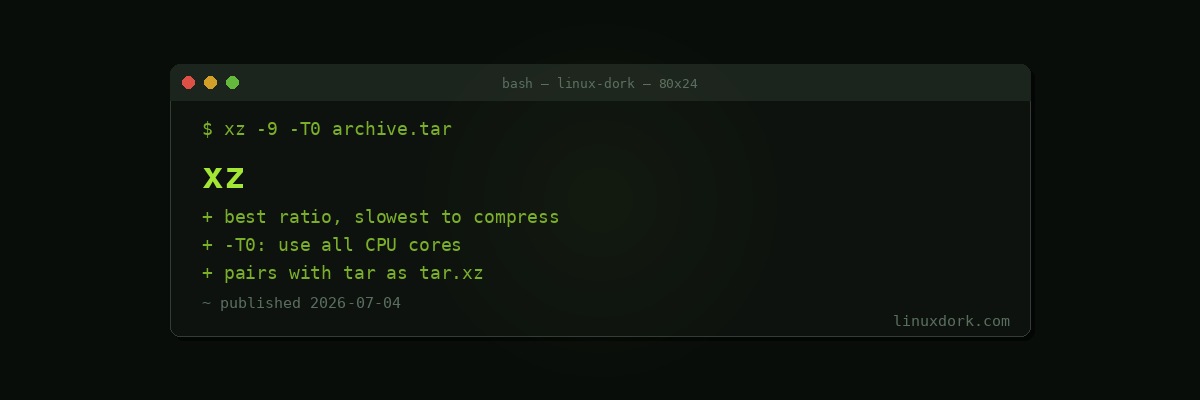
xz -9 -T0 archive.tar-T0 tells xz to automatically use all available CPU cores, splitting the input into blocks compressed in parallel. This can dramatically reduce wall-clock compression time on multi-core systems. There’s a small tradeoff: multi-threaded compression can yield a slightly larger output than fully single-threaded compression, since each block is compressed somewhat independently rather than the whole file being considered as one continuous stream. For most practical purposes this difference is small enough that the speed gain is well worth it.
xz -9 -T4 archive.tar # use exactly 4 threadsWhy xz Is Slower to Compress but Not to Decompress
xz uses the LZMA2 algorithm, which searches a much larger dictionary and considers more potential matches than gzip’s DEFLATE or bzip2’s block-sorting approach. This thorough search is what produces smaller output, but it’s also what makes compression slow. Decompression doesn’t require that same search process, it just needs to replay the encoded instructions, so xz decompression speed is much closer to gzip and bzip2 than compression speed is.
This asymmetry matters for how xz gets used in practice: a piece of software gets compressed once when a release is packaged, but the resulting archive might be downloaded and decompressed by thousands of users. Slow compression paid once, combined with smaller downloads and reasonably fast decompression paid many times, is a good tradeoff for distribution, which is exactly the scenario xz has become the default for.
xz with tar
tar -cJvf archive.tar.xz /data
tar -xJvf archive.tar.xz
The -J flag (capital J, distinct from -j for bzip2) tells tar to pipe the archive stream through xz.
xz vs. gzip vs. bzip2
| Tool | Compression Speed | Decompression Speed | Ratio |
|---|---|---|---|
gzip | Fastest | Fastest | Moderate |
bzip2 | Slower | Moderate | Better than gzip |
xz | Slowest | Fast (close to gzip) | Best |
For everyday, frequent compression tasks (log rotation, quick backups), gzip’s speed usually wins. For anything compressed once and distributed or archived long-term, xz’s smaller output is generally worth the extra compression time, especially with -T0 mitigating the speed penalty on multi-core hardware.
Frequently Asked Questions
Why does xz achieve smaller file sizes than gzip and bzip2?
xz uses the LZMA2 algorithm, which uses a much larger dictionary size and more sophisticated match-finding than gzip DEFLATE algorithm or bzip2 Burrows-Wheeler transform. This lets it find and encode repeated patterns more effectively, particularly in larger files, at the cost of requiring significantly more CPU time and memory during compression.
Is xz slower than gzip and bzip2 for everything, or just compression?
xz compression is noticeably slower than both gzip and bzip2, sometimes by a large margin at high compression levels. Decompression, however, is fast, generally comparable to or only somewhat slower than gzip decompression. This asymmetry is part of why xz suits distribution scenarios well: the compression happens once when a release is packaged, while decompression happens many times by end users who benefit from both the smaller download and reasonably fast extraction.
How do I use multiple CPU cores to speed up xz compression?
Pass -T0 to let xz automatically use all available CPU cores, or -T N to use a specific number of threads. Multi-threaded compression splits the input into blocks compressed in parallel, which significantly reduces wall-clock compression time on multi-core systems, though it can very slightly reduce the compression ratio compared to fully single-threaded compression since each block is compressed somewhat independently.
What do the xz compression level flags like -6 and -9 mean?
Similar to gzip, xz accepts a compression level from -0 (fastest, largest output) to -9 (slowest, smallest output), with -6 as the default. Higher levels use larger dictionary sizes and more thorough match-finding, which increases both compression time and memory usage substantially at the highest levels. The -9e variant (extreme mode) pushes even further at additional time cost for marginal extra savings.
How do I decompress a .xz file?
Run unxz file.tar.xz, or equivalently xz -d file.tar.xz. To view the contents of a compressed text file without writing a decompressed copy to disk, xzcat file.txt.xz streams the decompressed content directly to standard output, the same pattern used by zcat for gzip and bzcat for bzip2.
Why do so many Linux software releases and packages use xz today?
Because compression happens once when a package or release is built, but the resulting archive gets downloaded by potentially thousands or millions of users, the smaller file size xz achieves saves meaningfully on bandwidth and download time in aggregate, even though the initial compression step is slower. This tradeoff favors xz strongly for any scenario where an archive is compressed once but decompressed many times, which describes most software distribution.