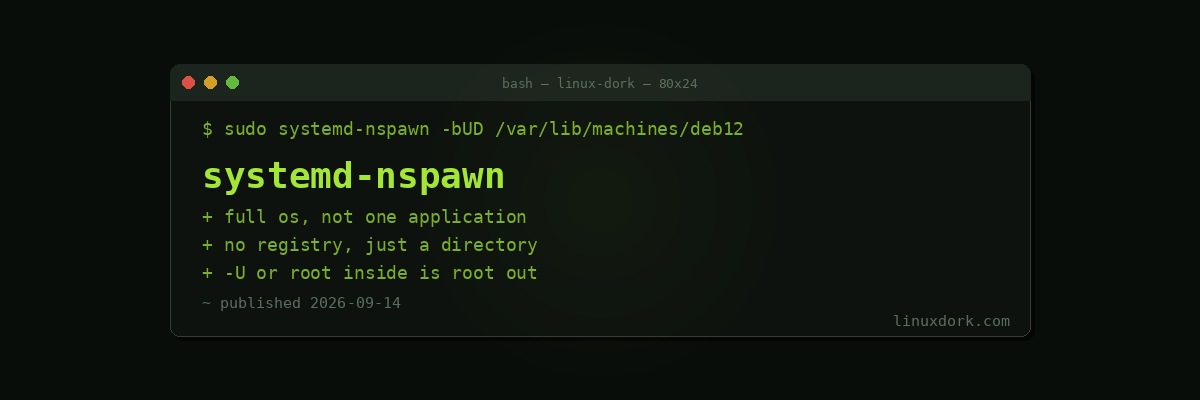
systemd-nspawn: Containers Without a Container Runtime
systemd-nspawn runs a complete operating system inside a namespace. No daemon, no registry, no image format. The container is a directory containing a root filesystem, and you start it with one command.
It sits between chroot and a full virtual machine, and it is already installed on any systemd system.
Against chroot and against Docker
chroot changes the apparent root directory and nothing else. Processes, network interfaces, and IPC are shared with the host, the process table is the host’s, and escaping is straightforward for anyone with root. It is a convenience, not a boundary.
nspawn adds PID, mount, IPC, and UTS namespaces, optionally network and user namespaces. Processes inside see their own /proc, their own PID 1, and their own hostname.
Docker is built for applications: one process per container, layered images, a registry, declarative configuration, orchestration. Our Docker and Podman guide covers that model.
nspawn is for systems. A full init, multiple services, something you SSH into and administer. Closer in spirit to LXC and Incus than to Docker.
Creating one
There is no image to pull. You build the filesystem directly.
# Debian or Ubuntu container
sudo apt install debootstrap systemd-container
sudo debootstrap --include=systemd,dbus bookworm /var/lib/machines/deb12 \
  http://deb.debian.org/debian

# Fedora container
sudo dnf --installroot=/var/lib/machines/f42 --releasever=42 \
  install systemd dnf passwd
That directory is an ordinary filesystem tree. You can ls it, edit files in it, rsync it, and back it up with normal tools, which is a genuine advantage over an opaque image format.
sudo systemd-nspawn -D /var/lib/machines/deb12You are now in a shell inside. Set a root password and exit:
passwd
exit
Booting it properly
The shell above ran without an init. To boot the container’s own systemd:
sudo systemd-nspawn -bD /var/lib/machines/deb12-b boots it. You get a login prompt, systemd starts services, and systemctl inside behaves normally. This is what distinguishes nspawn from application containers: it is a real system.
Exit with Ctrl+] three times.
Networking
By default the container shares the host’s network stack, which is frequently not what you want.
# private network with a virtual ethernet pair to the host
sudo systemd-nspawn -bD /var/lib/machines/deb12 --network-veth

# bridge it onto the LAN
sudo systemd-nspawn -bD /var/lib/machines/deb12 --network-bridge=br0

# no network at all
sudo systemd-nspawn -bD /var/lib/machines/deb12 --private-network
--network-veth creates a ve-<name> interface on the host. Enable systemd-networkd on both sides and addresses and NAT are configured automatically:
sudo systemctl enable --now systemd-networkdOur VLANs and bridges guide covers the bridge case.
Running it as a service
sudo machinectl enable deb12
sudo machinectl start deb12

machinectl list
machinectl shell deb12
machinectl login deb12
sudo machinectl poweroff deb12
machinectl enable creates a systemd-nspawn@deb12.service instance that starts at boot. Containers in /var/lib/machines are found automatically, which is why that path is the convention.
Per-container settings go in a .nspawn file rather than on the command line:
# /etc/systemd/nspawn/deb12.nspawn
[Exec]
Boot=on
PrivateUsers=pick

[Network]
VirtualEthernet=on

[Files]
Bind=/srv/data:/data
BindReadOnly=/etc/localtime
Sharing files
sudo systemd-nspawn -bD /var/lib/machines/deb12 \
  --bind=/srv/data \
  --bind-ro=/usr/share/fonts \
  --bind=/home/user/project:/project
Bind mounts, with --bind-ro for read-only. Simple and effective, and note that without user namespaces the UIDs inside and outside are the same, so ownership matches.
Security, honestly
By default this is not a strong boundary. Without user namespaces, root inside the container is root on the host, and while namespaces prevent most direct interference, the kernel surface is shared and several escape paths have existed historically.
Enable user namespaces:
sudo systemd-nspawn -bUD /var/lib/machines/deb12-U is shorthand for --private-users=pick --private-users-ownership=auto. Container UID 0 maps to an unprivileged host UID, so root inside is nobody outside. This is the single most important flag if the container runs anything you did not write.
The ownership remapping rewrites the container’s file ownership on first run, which takes time on a large tree and is why it is not the default.
Further hardening:
--private-network          # no host network access
--read-only                # immutable root filesystem
--capability=              # drop all capabilities
--system-call-filter=...   # seccomp restrictions
For genuinely untrusted code, use a virtual machine. Our KVM and QEMU guide covers that, and the boundary is meaningfully stronger.
Where it earns its place
Testing across distributions. Keeping a Debian, a Fedora, and an Arch container to check that something builds and runs on each, with no image registry and no layers to reason about.
Clean build environments. Package building wants a minimal chroot with only declared dependencies. nspawn does this well, and pbuilder and mock do something similar with more specialised tooling.
Running a full system service stack that expects a real init and multiple daemons, where forcing it into an application container is fighting the design.
Recovery and rescue. Booting a broken installation’s filesystem to repair it, which is chroot’s traditional job done with proper isolation and a working systemd.
Where it does not fit: deploying applications, anything needing image distribution, orchestration, or a declarative build. Docker and Podman exist for that and are better at it.
Frequently Asked Questions
How is systemd-nspawn different from Docker?
nspawn runs a full operating system with its own init system, closer to a lightweight virtual machine than to an application container. It has no daemon, no image registry, and no layered filesystem, and the container is simply a directory tree on disk that you can edit with normal tools.
Is systemd-nspawn better than chroot?
Yes, substantially. chroot changes only the apparent root directory, leaving processes, network, and IPC shared with the host, and it is escapable. nspawn adds PID, mount, IPC, and optionally network and user namespaces, which makes it real isolation rather than a filesystem illusion.
Do I need to download an image to use nspawn?
No. You create the container filesystem directly with debootstrap on Debian systems or dnf with an installroot on Fedora, which gives you a normal directory tree. There is no registry and no image format, which means you can inspect and modify the container with ordinary file tools.
Can nspawn containers start automatically at boot?
Yes. Place the container in /var/lib/machines and enable systemd-nspawn@name.service, which starts it like any other unit. Settings go in a .nspawn file in /etc/systemd/nspawn rather than on the command line.
Is systemd-nspawn secure enough to run untrusted code?
Not by default. Without user namespaces, root inside the container maps to root on the host, and several kernel interfaces remain reachable. Enable private users with the -U flag for meaningful isolation, and prefer a virtual machine for genuinely untrusted workloads.
When should I use nspawn instead of Docker or Podman?
When you want a full system rather than one application: testing across distributions, building packages in a clean environment, or running something that expects a real init. For deploying applications with declarative config and image distribution, Docker and Podman fit far better.