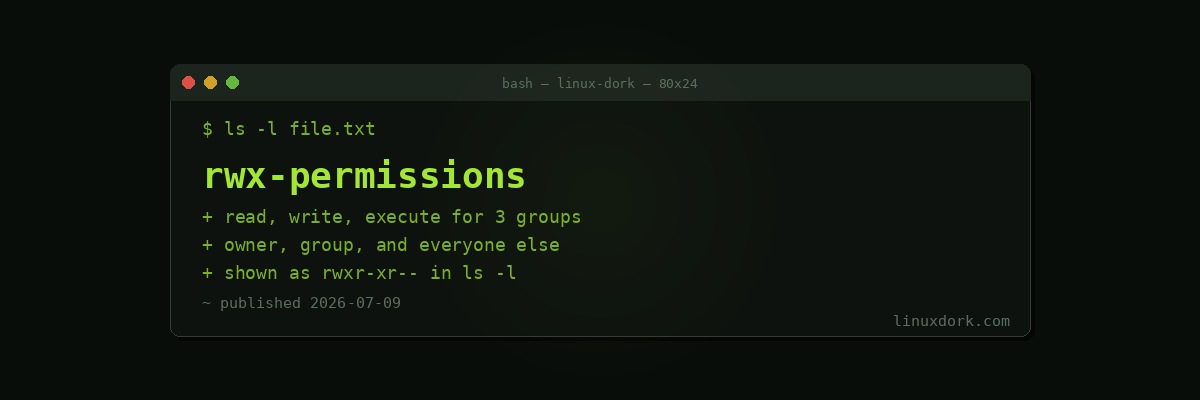
rwx Permissions Explained
Every file and directory on a Linux system carries nine permission bits, three sets of three, and understanding exactly what each one grants is the foundation for everything else about Linux security and multi-user access control.
The three permission types
r  (read)     view a file's contents / list a directory's entries
w  (write)    modify a file's contents / add-remove-rename entries in a directory
x  (execute)  run a file as a program / enter a directory
Each of these is independently grantable, which is why you see combinations like r-- (read only), r-x (read and execute, but not write), or rw- (read and write, but not execute).
Reading a full permission string
ls -l script.sh
# -rwxr-xr-- 1 colton devteam 850 Jul 9 10:00 script.sh
-rwxr-xr--
│└┬┘└┬┘└┬┘
│ │ │ └── others: r-- (read only)
│ │ └───── group: r-x (read + execute, no write)
│ └──────── owner: rwx (read + write + execute)
└────────── file type: - means a regular file (d would mean directory, l a symlink)The nine characters after the file-type indicator break into exactly three groups of three: owner, group, and everyone else (often called “other” or “world”), always in that fixed order.
Permissions on files: the intuitive case
chmod u+x deploy.sh
./deploy.sh
# runs the script, since execute permission is now set for the owner

chmod u-x deploy.sh
./deploy.sh
# bash: ./deploy.sh: Permission denied
On a regular file, all three permission types behave roughly the way most people expect: read lets you view or copy it, write lets you modify or delete its contents, execute lets you run it directly as a program if it is a script or compiled binary.
Permissions on directories: the surprising case
This is where rwx behaves in a way that trips up nearly everyone the first time they encounter it, because “execute” on a directory has nothing to do with running it as a program.
mkdir secretdir
touch secretdir/file.txt
chmod 644 secretdir       # read+write for owner, read for group/other, NO execute

ls secretdir
# secretdir: Permission denied

ls -ld secretdir
# drw-r--r-- ... secretdir
Without execute permission on a directory, you cannot enter it or access anything inside it by name, even if you know the exact filename, and even if you have full read and write permission on that specific file. Execute permission on a directory is the ability to actually traverse into it, effectively the permission that makes cd and direct file access work.
chmod +x secretdir
ls secretdir
# file.txt
cat secretdir/file.txt
# now this works, because execute permission on the directory
# lets you reach the file inside it
Read vs execute on a directory: two different capabilities
chmod 100 testdir    # execute only, no read at all
ls testdir
# ls: cannot open directory 'testdir': Permission denied

cat testdir/knownfile.txt
# this actually WORKS, if you already know the exact filename,
# because execute permission alone lets you traverse into the
# directory and access a specifically named entry
This is one of the more genuinely surprising details in the whole permission model: read permission on a directory lets you list what is inside it with ls, while execute permission lets you actually access a specific entry by name, and these two capabilities are independent of each other. A directory with execute but no read permission is browsable only if you already know exactly what you are looking for.
Write permission on a directory: it is not about the files’ own permissions
# file.txt itself has very restrictive permissions
chmod 000 secretdir/file.txt
ls -l secretdir/file.txt
# ---------- 1 colton colton 0 Jul 9 file.txt

# but if you own the DIRECTORY and it is writable...
rm secretdir/file.txt
# succeeds! because deletion depends on write permission on
# the DIRECTORY containing the file, not on the file's own permissions
This regularly confuses people: a file with zero permissions of its own can still be deleted, renamed, or moved, because those operations are actually changes to the directory’s entry list, governed by the directory’s own write permission, not the target file’s permissions.
How owner, group, and other interact
# An unusual, generally misconfigured example
chmod 466 oddfile.txt
ls -l oddfile.txt
# -rw-rw-rw- ... wait, let's check the actual numeric breakdown:
# 4 = r--  (owner: read only)
# 6 = rw-  (group: read + write)
# 6 = rw-  (other: read + write)
Linux determines which of the three permission sets applies to you based on the most specific match: if you are the owner, only the owner bits apply to you, full stop, even if the group or other bits happen to be more permissive. If you are not the owner but belong to the owning group, only the group bits apply. Only if neither applies do the “other” bits take effect. This means a misconfigured file can genuinely give its own owner less access than a random unrelated user on the system, which is almost always accidental and worth checking for specifically when troubleshooting unexpected permission errors.
Frequently Asked Questions
What do r, w, and x mean in Linux file permissions?
r (read) allows viewing a file’s contents or listing a directory’s entries. w (write) allows modifying a file’s contents or adding and removing entries within a directory. x (execute) allows running a file as a program or script, or entering (cd into) a directory. Each of these three permissions is tracked separately for the owner, the group, and everyone else, giving nine total permission bits per file.
How do I read a permission string like rwxr-xr—?
The string is divided into three groups of three characters. The first three (rwx) apply to the file’s owner. The next three (r-x) apply to the group. The last three (r—) apply to everyone else. In this example, the owner has full read, write, and execute access, the group can read and execute but not write, and everyone else can only read.
What does execute permission actually mean on a directory, as opposed to a file?
On a file, execute permission means the file can be run as a program or script. On a directory, execute permission has a completely different meaning: it allows entering the directory and accessing the files inside it by name, essentially the ability to cd into it or open a specific file within it. This surprises many people, since it does not correspond to “running” a directory in any sense.
Can I list a directory’s contents without execute permission on it?
You can list filenames with read permission alone, using ls, but you cannot actually access, open, or retrieve details about any of those files without execute permission on the directory itself, even if you have full read and write permission on the individual files inside it. Read and execute permissions on a directory serve genuinely different, complementary purposes: read lets you see what is there, execute lets you actually reach it.
What does write permission mean on a directory versus a file?
On a file, write permission allows changing its content. On a directory, write permission allows adding, removing, or renaming entries within it, meaning creating new files, deleting existing files, or renaming them. Critically, whether you can delete a specific file depends on write permission on its containing directory, not on the permissions of the file itself, which is a common source of confusion.
How do the three permission groups (owner, group, other) interact when they conflict?
Linux checks the most specific matching category first: if you are the file’s owner, only the owner permissions apply to you, even if the group or other permissions would have been more generous. If you are not the owner but are a member of the owning group, only the group permissions apply. Only if neither applies do the other permissions take effect. This means it is possible, though usually a misconfiguration, for a file’s owner to have fewer effective permissions than everyone else, if the owner bits are set more restrictively than the other bits.