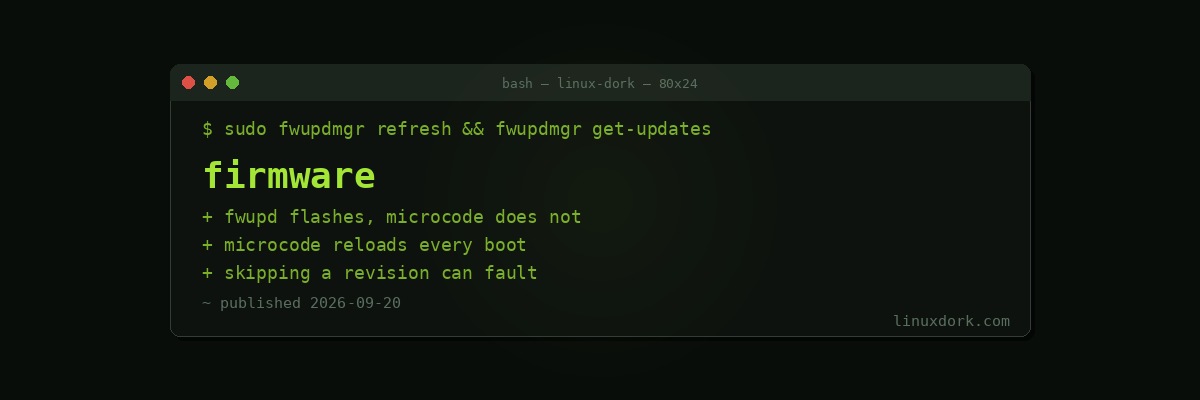
Firmware Updates on Linux: fwupd, CPU Microcode and Why Order Matters
Two different things get called firmware updates on Linux, they work completely differently, and only one of them can leave you with a brick.
fwupd: firmware that persists
fwupd applies vendor firmware updates through the Linux Vendor Firmware Service (LVFS), a shared distribution point that vendors upload to and Linux machines pull from.
sudo fwupdmgr refresh
fwupdmgr get-devices
fwupdmgr get-updates
sudo fwupdmgr update
Depending on the vendor it covers system BIOS and UEFI, NVMe and SSD firmware, dock and peripheral firmware, Thunderbolt controllers, and occasionally keyboards and mice.
This is a genuine achievement. Updating a laptop BIOS used to require a Windows installation or a bootable USB assembled from a vendor download page. Now it is a package manager operation.
Coverage depends entirely on the vendor. Dell, Lenovo, HP, System76 and Framework participate. Plenty do not, and fwupdmgr get-devices showing nothing is usually their decision rather than a fault on your side.
The risk, stated honestly
Flashing firmware writes to a chip on your board. If it is interrupted, you may have a machine that does not start.
- Mains power, always, and a charged battery if it has one
- Do not interrupt it, including by closing a laptop lid
- Check for a recovery mechanism before you start. Many boards have a recovery flash procedure using a USB stick; knowing yours exists is much more comforting before the flash than after
Updates reaching your firmware also mean your firmware can regress. A BIOS update occasionally breaks something that worked. Read the release notes and, on a machine you depend on, consider waiting a couple of weeks unless the update fixes something you actually have.
CPU microcode: firmware that does not persist
Microcode is different in the way that matters most: nothing is written permanently.
The CPU loads microcode fresh on every boot, either from the motherboard firmware or from the operating system. Reboot without it and the CPU reverts. There is no bricking risk, because there is nothing being flashed.
# Debian and Ubuntu
sudo apt install intel-microcode      # or amd64-microcode

# Fedora and RHEL
sudo dnf install microcode_ctl

# what you are running
grep microcode /proc/cpuinfo | head -1
journalctl -k | grep -i microcode
Why the OS loads it at all
Because BIOS updates stop arriving long before microcode updates do. A four-year-old laptop is unlikely to get another BIOS release; the CPU vendor is still publishing microcode with security mitigations.
Loading it from the operating system means a machine whose vendor lost interest still receives current mitigations, delivered through a package that updates on a normal schedule. Microcode updates carry most of the mitigations for speculative execution vulnerabilities, so this is not a cosmetic benefit.
There are two loading points. Early loading happens from the initramfs before the kernel finishes bringing up CPU features, and is what you want. Late loading happens after boot and is more limited, because some features have already been configured.
Revisions are not always independent
Here is the thing almost nobody knows, and it cost people machine check exceptions this year.
Some microcode revisions introduce internal changes that later revisions depend on. Skip the intermediate one and apply a newer revision directly, and the CPU can raise a machine check exception, which is a hardware-level fault the operating system cannot recover from.
Intel Xeon 6 Granite Rapids had exactly this with revision 0x1000405. Linux now refuses to load 0x1000405 or later unless the system has already been through 0x1000405, and the fix is being backported to stable kernels.
The general lesson is that the intuitive model, where you can jump from any revision to the newest, is not reliably true. The kernel is now enforcing an ordering the hardware requires.
A machine check is worth recognising when it happens. Our kernel panic guide covers the taint flag M, which means the CPU reported a hardware fault and you should stop debugging software.
Firmware for devices, loaded at runtime
A third category, and the one most likely to be your actual problem.
Wi-Fi adapters, GPUs, Bluetooth controllers and many other devices need firmware blobs loaded into them at initialisation. These live in /lib/firmware and ship in a package, commonly linux-firmware.
ls /lib/firmware/ | head
dmesg | grep -i 'firmware' | grep -iE 'fail|missing|direct'
“Direct firmware load failed” in dmesg is one of the highest-value error messages on Linux. It means a device exists, the driver loaded, and the firmware it needs is absent. Installing one package frequently fixes hardware that appeared to be unsupported.
A minimal install, or a distribution that separates non-free firmware, is the usual reason it is missing. Our GPU drivers guide covers the graphics case specifically.
Secure Boot interacts with all of this
With Secure Boot enabled, firmware updates and signed components have to satisfy verification.
mokutil --sb-state
fwupdmgr security
fwupdmgr security reports on host security attributes: Secure Boot state, TPM presence, whether the firmware allows direct SPI writes, and similar. It is a quick way to see what protections are actually enabled rather than assumed. Our Secure Boot guide covers the underlying mechanism.
A reasonable routine
# microcode, take it, low risk, real security benefit
sudo apt install intel-microcode && sudo reboot

# device firmware, take it, fixes hardware that looks broken
sudo apt install linux-firmware

# fwupd, check regularly, apply with judgement
sudo fwupdmgr refresh && fwupdmgr get-updates
Microcode and device firmware: take them. Low risk, meaningful benefit, and the failure mode is a package you can remove.
BIOS and device flashing: apply deliberately. Read what it fixes, do it on mains power, and on a machine you depend on, let other people find the regressions first.
Frequently Asked Questions
What is fwupd and what can it update?
fwupd is a daemon that applies firmware updates on Linux using vendor-supplied packages from the Linux Vendor Firmware Service. Depending on the vendor it covers system BIOS and UEFI, SSD and NVMe firmware, dock and peripheral firmware, and Thunderbolt controllers.
Is CPU microcode the same thing as BIOS firmware?
No. Microcode is loaded into the CPU fresh on every boot, either by the firmware or by the operating system, and nothing is written permanently. BIOS or UEFI firmware is flashed to a chip on the board and persists. They are separate mechanisms with different risk profiles.
Why does Linux load microcode when my BIOS already has some?
Because BIOS updates stop arriving long before microcode updates do. Loading it from the operating system means you get current mitigations on a board the vendor abandoned years ago, and distributions ship it in a package they can update on a normal schedule.
Can a microcode update ever be unsafe to apply?
Yes, in a specific way. Some revisions introduce internal changes that later revisions depend on, so skipping one can trigger a machine check exception. Intel Granite Rapids had exactly this, and Linux now refuses to load affected revisions out of order.
Is it safe to flash BIOS firmware from Linux with fwupd?
It is as safe as flashing from any other method, which is to say generally fine and occasionally catastrophic. Use mains power, do not interrupt it, and check whether your machine has a recovery mechanism before starting. fwupd itself is well engineered, but a bad flash is a bad flash.
Why does fwupd show no devices on my machine?
Usually because your vendor does not publish to LVFS. Dell, Lenovo, HP, System76, Framework and several others participate; many do not. A machine with no supported devices is a vendor decision rather than a problem with fwupd.